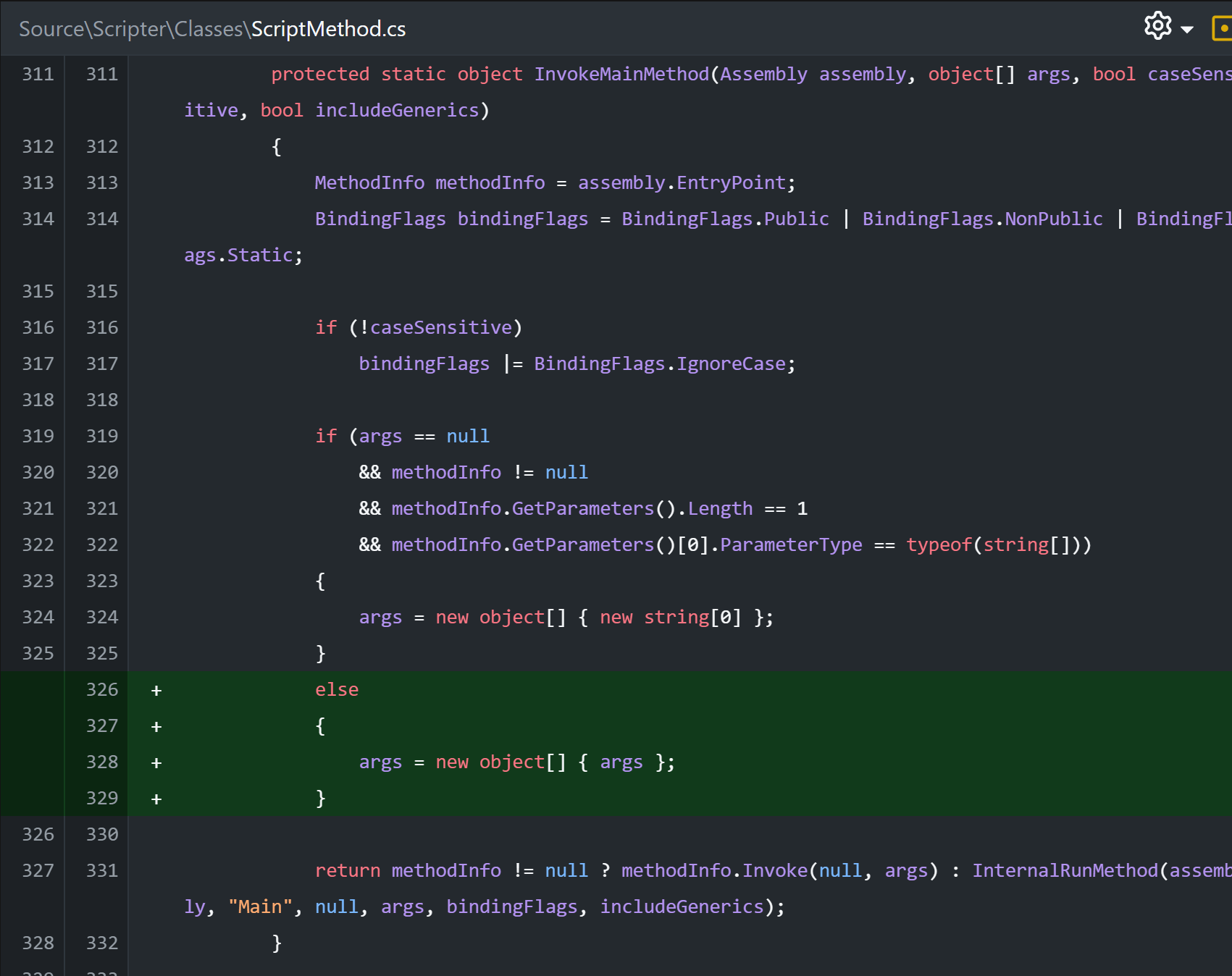
The following script failed to execute, because ScriptRun.RunAsync() throws an exception, even though the program code is valid → System.Reflection.TargetParameterCountException: ‘Parameter count mismatch.’.
The project is very simple, a console app with basic scripting - but using async Tasks.
Project:
<Project Sdk="Microsoft.NET.Sdk">

  <PropertyGroup>
    <OutputType>Exe</OutputType>
    <TargetFramework>net9.0</TargetFramework>
    <RootNamespace>Bug_in_Alternet</RootNamespace>
    <ImplicitUsings>disable</ImplicitUsings>
    <Nullable>disable</Nullable>
    <Platforms>x64</Platforms>
  </PropertyGroup>

	<ItemGroup>
		<PackageReference Include="Alternet.Studio.Scripter" Version="10.0.5" />
	</ItemGroup>

</Project>
Program.cs:
using Alternet.Scripter;
using System;
using System.Threading.Tasks;

class Program
{
    const string AsyncScript = """
            using System;
            using System.Threading.Tasks;

            class AsyncScriptProgram
            {
                static async Task Main(string[] args)
                {
                    Console.WriteLine($"\t{args.Length} Args:");
                    for (int i = 0; i < args.Length; i++)
                        Console.WriteLine($"\tArg[{i}]: {args[i]}");

                    Console.WriteLine($"\tWait a bit");
                    await Task.Delay(100);
                }
            }
        """;

    public static async Task Main(string[] args)
    {
        Console.WriteLine("Create Script Runtime");

        ScriptRun scriptRun = new ScriptRun()
        {
            AssemblyKind = ScriptAssemblyKind.ConsoleApplication,
            ScriptMode = ScriptMode.Debug,
            ScriptLanguage = ScriptLanguage.CSharp,
            Platform = ScriptPlatform.X64,
        };
        scriptRun.ScriptSource.FromScriptCode(AsyncScript);
        scriptRun.ScriptSource.WithSystemReferences(ScriptTechnologyEnvironment.System, WithSystemReferencesFlags.None);

        Console.WriteLine("Compile Script");
        if (!scriptRun.Compile())
        {
            Console.Error.WriteLine("Failed to compile Script!");
            foreach (ScriptCompilationDiagnostic compileError in scriptRun.ScriptHost.CompilerErrors)
                Console.Error.WriteLine(compileError.ToString());
        }
        else
            Console.WriteLine("Successfully compiled Script");

        string[] scriptArgs = ["Hallo", "Welt", "der", "Programmierer"];

        Console.WriteLine("Run Script");
        await scriptRun.RunAsync(scriptArgs);
        Console.WriteLine("Completed Script");

        Console.WriteLine("Done, press key to exit");
        Console.ReadKey();
    }
}