Hi,
Thank you for the interest in our products.
One of the limitations of the .NET platform debugging is that a process cannot debug itself.
See this article for more details: You can't debug yourself | Microsoft Docs
This imposes the following restriction on what can be done: the script must be executed in a separate process from the debugger. The final solution can be arranged in one of the two ways:
-
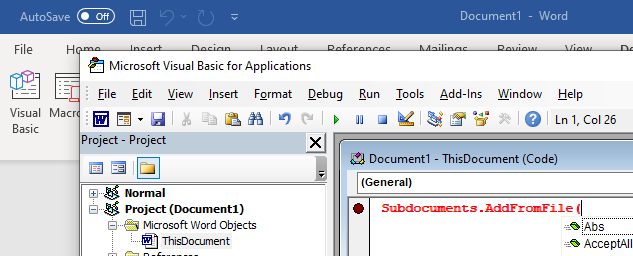
Debugger together with editor reside in a separate process and attach to the main application (with the application process having some scripts running) in order to debug it. This is a traditional approach similar to a regular application development scenario, when IDE is used to debug an application. From the user perspective, this can look like a separate debugger/editor window opened on-demand my the main application. For example, MS Office opens the VBA editor/debugger in a separate window:
Such an approach can be easily implemented based on our AlternetStudio demo application, which in itself is actually a script IDE, and can be attached to any running .NET application to debug managed code. Please refer to DebugMyScript quick start sample to see how it can be done. -
Debugger with the editor resides in the main application process, but the script itself runs in a separate process and communicates with the main application via IPC mechanism such as .NET Remoting. Implementing this is less straightforward and the additional complexity it introduces is rarely justified by anything except the debugging features. We advice to go this way only if editing/debugging from the main process UI is a must. Such approach is demonstrated in our DebugRemoteScript quick start sample.
Regarding how to use our debugger together with your existing editor. Please download the two code files from here. The classes in the linked files (ScriptCodeEdit.cs and DebugCodeEdit.cs) derive from SyntaxEdit (our editor) and add the required “glue logic” to link it with the debugger by implementing IDebugEdit and IScriptEdit interfaces. You can follow the same way for integrating the debugger with your editor. For a quick start, you can take the StudioDemo project and modify it by adding MyCustomDebugEdit class similar to the one I linked you above. After that, you can change MainForm.CreateDebugEdit() method to return your custom editor.
Please let me know if you need any further help with this.
Yevgeni.