# "RoslynParser.ForceReparseText" deadlocks in 9.5.7
**URL:** https://forum.alternetsoft.com/t/roslynparser-forcereparsetext-deadlocks-in-9-5-7/463
**Category:** AlterNET Studio Support
**Created:** [July 18, 2024, 8:36pm UTC](https://forum.alternetsoft.com/t/roslynparser-forcereparsetext-deadlocks-in-9-5-7/463 "2024-07-18T20:36:42Z")
**Posts on this page:** 5
**Page:** 1
### Author:  [@wknauf](https://forum.alternetsoft.com/u/wknauf)
#### Post date: [July 18, 2024, 8:36pm UTC](https://forum.alternetsoft.com/t/roslynparser-forcereparsetext-deadlocks-in-9-5-7/463/1 "2024-07-18T20:36:42Z")
I moved from 9.5.4 to 9.5.7 and observe a application deadlock in our “SnippetParser” based sample.
It can easily reproduced by taking the “SnippetParser” sample, updating all package references to 9.5.7 and adding this line the the end of “Form1.UpdateVBSource” (I used the SnippetParser sample from my 9.5 installation, not from your github).
```auto
this.vbMethodParser.ForceReparseText();
```
Then launch the sample and click the “Visual Basic” radio button:
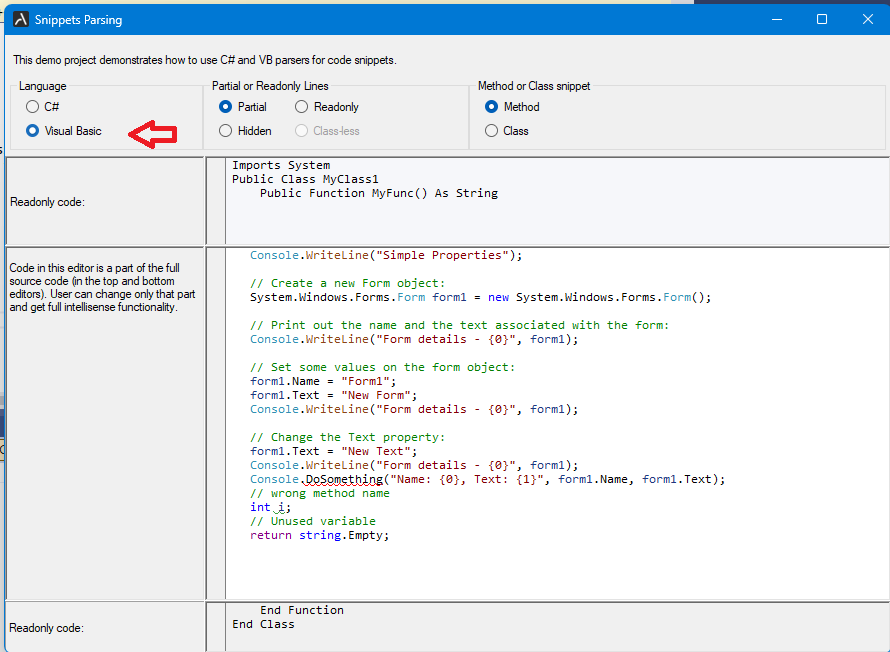
Modified sample code is also here: [https://www.hg-online.de/downloads/wknauf/SnippetsParsers\_2024-07-18.zip](https://www.hg-online.de/downloads/wknauf/SnippetsParsers_2024-07-18.zip)
Probably, calling “Task.Wait” in a WinForms environment always bears the danger of deadlocks.
Is it safe to use “ForceReparseTextAsync(true, CancellationToken.None)” instead?
I run into a similar issue some time ago, but could work around it here ([https://forum.alternetsoft.com/t/lock-in-roslynparser-forcereparsetext/336](https://forum.alternetsoft.com/t/lock-in-roslynparser-forcereparsetext/336)). But now it happens always.
As far as I remember, I added the call to “ForceReparseText” because the editor might display wrong compile error for a short time before the code parsing was finished.
And unfortunately, we use “ForceReparseText” also to create a report for a bunch of scripts: we create an invisible SyntaxEdit control, set [VB.NET](http://VB.NET) and call “ForceReparseText”, then export the code editor content to RTF. This would of course not work with “ForceReparseTextAsync”, so we would have to switch to async rendering I fear.
Best regards
Wolfgang
PS: I will be on vacation for the next two weeks, so don’t expect fast replies from me.
---
### Author:  [@dmitry.medvedev](https://forum.alternetsoft.com/u/dmitry.medvedev)
#### Post date: [July 19, 2024, 6:55am UTC](https://forum.alternetsoft.com/t/roslynparser-forcereparsetext-deadlocks-in-9-5-7/463/2 "2024-07-19T06:55:47Z")
Hi Wolfgang,
We have reproduced this issue, and it seems to be caused by moving to the latest Microsoft Code analysis version (4.10). With 4.8 ForceReparsing still works fine.
We will try to find the root reason for the deadlock, but if you could use await ForceReparseTextAsync, this would definitely be a safer option.
BTW, if you need to do an invisible task, you can use a parser without syntax edit control like this:
```auto
async Task DoSomething(string fileName)
{
var list = new StringList();
list.LoadFile(fileName);
parser.Prepare(fileName, list);
await parser.ForceReparseTextAsync(true, CancellationToken.None);
}
main code:
await DoSomething(fileName);
```
Kind regards,
Dmitry
---
### Author:  [@wknauf](https://forum.alternetsoft.com/u/wknauf)
#### Post date: [July 19, 2024, 7:43am UTC](https://forum.alternetsoft.com/t/roslynparser-forcereparsetext-deadlocks-in-9-5-7/463/3 "2024-07-19T07:43:48Z")
Thanks for the feedback.
As to my experience, waiting for a Task is in most situations not possible in WinForms apps. I had rare cases where it worked, but I don’t know why ;-).
I need the SyntaxEdit to save the content to RTF, wich I use for printing:
```auto
syntaxEdit.SaveStream(textWriter, new RtfExport());
```
This is probably not possible without a SyntaxEdit control?
Best regards
Wolfgang
---
### Author:  [@dmitry.medvedev](https://forum.alternetsoft.com/u/dmitry.medvedev)
#### Post date: [July 19, 2024, 2:34pm UTC](https://forum.alternetsoft.com/t/roslynparser-forcereparsetext-deadlocks-in-9-5-7/463/4 "2024-07-19T14:34:08Z")
Hi Torsten,
This seems to be working for me, but if you could avoid using Wait(), it would work best.
```
Task.Run(() => this.vbMethodParser.ForceReparseTextAsync(true, System.Threading.CancellationToken.None)).Wait();
```
> This is probably not possible without a SyntaxEdit control?
Yes, for now, saving in RTF requires SyntaxEdit control. Potentially, we can make it work with TextSource if needed.
Kind regards,
Dmitry
---
### Author:  [@wknauf](https://forum.alternetsoft.com/u/wknauf)
#### Post date: [July 19, 2024, 2:55pm UTC](https://forum.alternetsoft.com/t/roslynparser-forcereparsetext-deadlocks-in-9-5-7/463/5 "2024-07-19T14:55:24Z")
Hi Dmitry,
thanks, I will continue working on “ForceReparseTextAsync” after my vacation.
Best regards
Wolfgang